Error Handling
Marketing automation error handling
Build an error-handling plan for marketing automations: identify failed actions, choose safe retries, review uncertain records and stop affected workflows.
Marketing automation error handling starts with a decision for each affected action: retry it, hold the record for review, or stop the workflow. Record what is known first. A failed request does not prove the connected service did nothing; it may have acted before its response timed out.
Identify the failure
| Situation | Check first | Initial response |
|---|---|---|
| The workflow did not start | Did the trigger fire? | Check the trigger and connection. |
| An action failed | Which earlier actions completed? | Repair the cause and consider a retry of the unfinished action. |
| A record cannot safely continue | Is required information missing or conflicting? | Hold that record for review. |
| The outcome is uncertain | Could a send or update already have happened? | Check the destination before retrying. |
These are operating decisions, not statuses every platform provides. Map them to your system's run history and action evidence.
Keep a recoverable action record
For actions that change a record or contact a person, keep a campaign reference, record reference, intended action, version, attempt time and observed outcome.
Useful states include ready, in progress, confirmed at the destination, needs review and cancelled. Keep unnecessary personal data out of alerts.
Confirm the specific action instead of assuming a completed workflow means every step succeeded. Inspect the action history and destination when the result matters.
Detect unresolved work
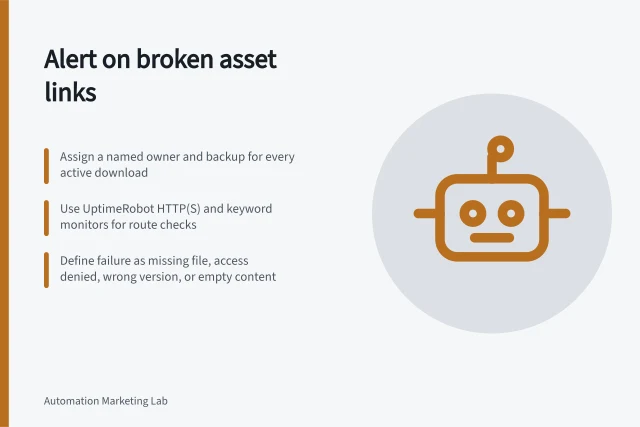
Assign an owner and backup to review failures. Look for repeated errors at one step, a growing exception queue, expected runs that never appear, and records left in progress beyond the campaign's useful window. Set review times and escalation thresholds to the campaign's volume and consequences.
Do not rely on alert mail alone. Power Automate's per-run emails cover recognised failures with a specific fix; administrators can use the Power Platform admin centre's Monitor experience to track failures across flows and environments.
Eligible HubSpot users can review automation issues. Always maintain a way to find records still awaiting a decision.
Key Error Handling Metrics for Australian Marketing Teams
- Average Campaign Volume
- High (10K+ records/month)
- ACCC Compliance Priority
- Data accuracy and transparency in customer communications
- Power Automate Alert Cooldown
- 28 days per flow
- HubSpot Workflow Suspension
- Prevents new enrolments but does not pause active records
Disposition and document each issue
Separate workflow configuration faults from record-specific faults before assigning the fix. HubSpot's workflow issue review lets users move from a workflow issue to edit the automation, or from a record issue to the affected object record. Access to the workflows tool requires Super Admin or Workflows permissions.
Give each reviewed issue a deliberate disposition rather than letting it disappear. HubSpot supports marking an issue Fixed, Ignored or Deferred. Deferring sets a reminder that depends on the issue recurring after a chosen interval or by a chosen date; it does not automatically revisit the issue.
When a HubSpot issue is marked Fixed, it is dismissed from the automation issues page; if it reoccurs, it returns with the status Needs review. Ignoring an issue dismisses it without fixing it, and it will not appear again unless the setting changes.
Add a note recording the reason for ignoring an issue or the fix applied, so another operator can understand the decision.
Recover the unfinished action
A temporary service fault may justify a bounded retry. Missing required data needs correction. An uncertain send needs a destination check first.
Where the receiving API supports idempotency keys, follow that API's rules; do not assume a marketing send integration has that protection. Record each recovery attempt and hold any action whose outcome remains unclear.
Treat notifications as partial coverage
Power Automate sends a per-run failure alert when it identifies a recognised problem with a specific fix, such as a broken connection or throttled action. It does not alert for every failure, and the same flow has a 28-day cooldown after an alert. An alert inbox therefore cannot serve as a complete incident register.
Per-run alerts go to the flow owner and co-owners, not environment or tenant administrators; run-only users are excluded too. Power Automate's weekly failure digest summarises failures across environments, and administrators can use the Power Platform admin centre's Monitor experience to track failures across flows and environments.
Assign responsibility for checking the relevant view as well as responding to email.
Review, stop and resume
Give uncertain records an owner, reason, affected action and next decision. Define an emergency stop covering new entries, scheduled work and recovery attempts, then check work already in progress. Turning off a HubSpot workflow prevents new enrolments but does not simply pause every enrolled record.
After repair, list affected records and compare each last confirmed action with the intended campaign state. Recheck current send eligibility before a later message. Resume only work still required and record the incident and its unresolved outcomes.
Keep review decisions traceable
For each review decision, record the decision, operator, time, reason and any follow-up date, linked to the affected action reference. This shows a later operator whether the work is resolved or still waiting without reconstructing the run history.
In this guide
- Detecting failed workflow actions before they accumulateSet up an exception view, ownership and alert rules that reveal failed marketing workflow actions before unresolved records build up.
- Retrying a failed integration without duplicate sendsCheck the original outcome, retry the unfinished action and use a stable send identity to reduce duplicate messages during integration recovery.
- Sending uncertain records to a manual review queueDesign a manual review queue that holds uncertain marketing records, gives reviewers the right evidence and records a safe resolution.
- Building a safe stop switch for a marketing automationDesign an emergency stop that accounts for new, waiting and running marketing workflow actions, then reconcile records before restarting.