Error Handling
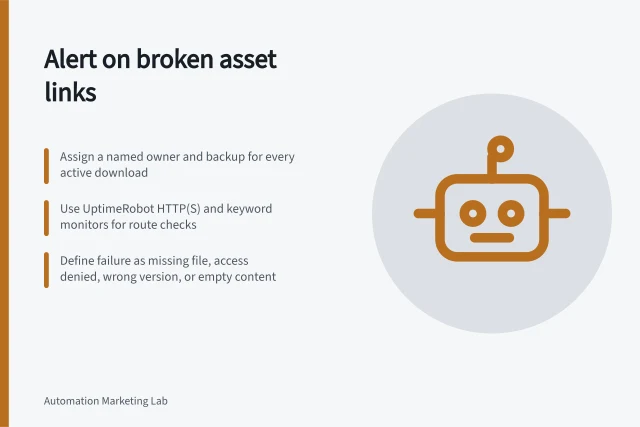
Alerting an owner when an asset link stops working
A broken asset destination should create an operational alert, not wait for a prospect to complain.

Desk
Reviews how Australian teams translate approved campaign plans into automated workflows.
Error Handling
A broken asset destination should create an operational alert, not wait for a prospect to complain.
Automation Builds
Preserve workflow rules and action evidence, resolve in-progress records and choose a retirement state without relying on delete-and-restore as a backup.
Automation Builds
Coordinate webinar registration, reminders, attendance and follow-up using confirmed event states and clear exception handling.
Error Handling
Design an emergency stop that accounts for new, waiting and running marketing workflow actions, then reconcile records before restarting.
Automation Monitoring
Build a weekly marketing automation exception report that tracks unresolved work, owners, next actions and closure evidence.
Automation Builds
Build lead routing rules that assign eligible enquiries, handle exceptions and confirm the owner on the destination record.
Error Handling
Inspect the destination record, sync status, mapping and next retry after a marketing connector fails to update a contact.
Error Handling
Verify which action a goal, suppression, lost eligibility or expiry must stop before an automation goes live.
Error Handling
Validate the origin, event type, identifiers and shape of a marketing webhook before processing or acknowledging it.
Automation Builds
Decide which marketing workflow steps need human judgement, how to route them and when automation must wait.
Automation Builds
Combine behavioural triggers with contact properties, choose when values are checked and handle blank or changing data.
Automation Builds
Connect a campaign form to an event-specific webinar list using accepted registration, with clear handling for pending and failed submissions.
Automation Builds
Inventory dependencies, isolate outbound actions and check what a copied workflow can prove before updating production.
Automation Builds
Build controlled contacts for each workflow branch, including overlaps, exclusions and missing values.
Automation Builds
Set a measurable task outcome, denominator, evidence source and review rule before building a marketing automation.
Automation Builds
After a visitor requests a download, the first response should make the promised resource accessible and explain what happens next.
Error Handling
Set up an exception view, ownership and alert rules that reveal failed marketing workflow actions before unresolved records build up.
Automation Builds
Choose between event triggers and scheduled campaign runs by checking timing, existing contacts, repeat entry and platform limits.
Error Handling
An approval timeout means the campaign has no decision by its deadline.
Automation Builds
Compare campaign occasions, eligible records and actions to identify duplicate automations and decide which route should own the result.
Automation Builds
Turn an approved campaign plan into workflow rules, checks and a controlled launch, with clear ownership for exceptions and results.
Automation Builds
Check the property, object, value type and repeat-submission behaviour behind each marketing form field.
Error Handling
Build an error-handling plan for marketing automations: identify failed actions, choose safe retries, review uncertain records and stop affected workflows.
Automation Monitoring
Plan marketing automation integrations around record identity, field mapping, ownership and destination checks, then choose a suitable connection method.
Automation Builds
Choose marketing automation triggers, set eligibility conditions and decide what happens when records change or qualify again.
Automation Builds
Keep marketing automation changes traceable with release records, dependency checks and a recovery route.
Automation Monitoring
Compare manual effort with oversight, repair and maintenance to estimate the time an automated marketing task saves.
Automation Monitoring
Measure completed marketing automation work, timeliness and exceptions, then investigate gaps using workflow and destination evidence.
Automation Builds
Use stable IDs, searchable names and useful descriptions to help new operators identify the right live automation.
Automation Builds
Prevent unwanted repeat entry into a marketing automation while allowing valid new requests and checking actions that must occur once.
Automation Builds
Stop webinar and external reminder routes after cancellation, send a clear notice and reconcile scheduled actions.
Automation Builds
Decide which repeated actions deserve points, apply event-level limits, and investigate duplicate source events before qualification.
Automation Builds
Document the old and new entry rules, timing, repeat behaviour and expected audience difference for a workflow trigger edit.
Automation Builds
Choose whether inactivity should expire engagement points, lower priority or change a separate status, then check the boundary cases.
Error Handling
Check the original outcome, retry the unfinished action and use a stable send identity to reduce duplicate messages during integration recovery.
Error Handling
Contain a faulty workflow update, restore the right configuration and account for records affected before restarting.
Error Handling
Trace records through a campaign branch to distinguish an expected wait from a wrong route, action error or uncertain destination.
Automation Monitoring
Use workflow previews, staff test inboxes and contained live actions to rehearse a campaign without contacting customers.
Automation Monitoring
Check automation entry, branches, delays, exits and connected actions against expected outcomes before launch.
Automation Monitoring
Define a completion cohort and denominator so repeat enrolments and pending work do not distort marketing workflow results.
Automation Builds
Map approved scoring signals to exact properties, events, filters and limits, then check that platform logic preserves the model.
Automation Builds
Translate a campaign brief into a clear start, eligibility conditions, exclusions, repeat rules and testable edge cases.
Error Handling
Reconcile webinar attendance with registrations and keep uncertain records separate from confirmed no-shows.